macOS · Windows 10 / 11 · REA Studio
4D Data Extractor
Give your legacy 4D databases a future.
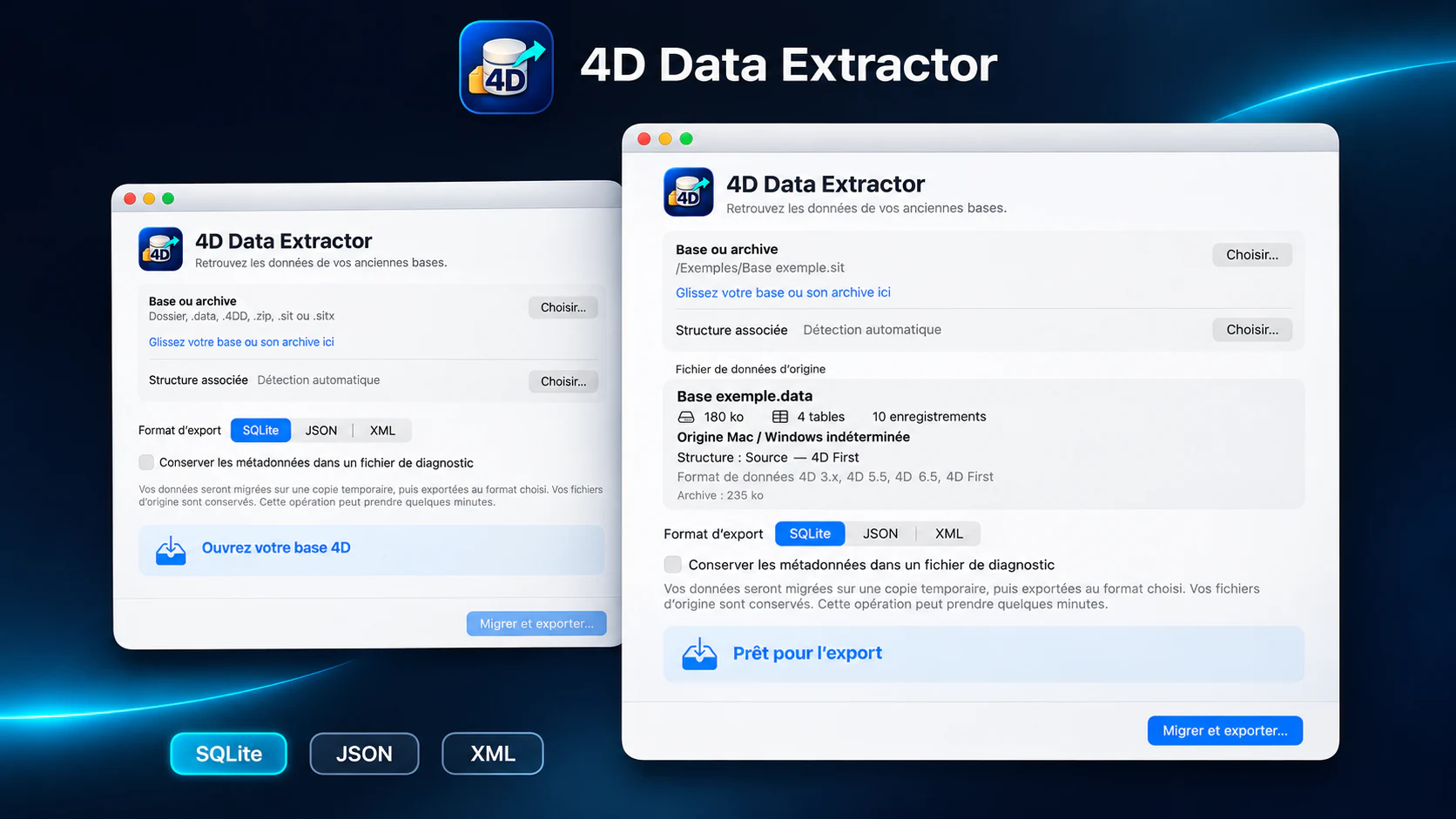
4D Data Extractor opens a copy of your database, identifies its tables and guides you toward current formats without changing the originals.
Version 1.5.1 · build 28
A bridge to your data
From 4D to the formats you use today.
Select a copy of the database, review what was recognised, then create a SQLite, JSON or XML export that fits your next step.
Controlled recovery
Data first. Originals untouched.
Work from a copy
Analysis and export run on the copy you select. The original database is not modified.
Source or compiled databases
The app looks for available structures and data in recognised source and compiled databases.
Three output formats
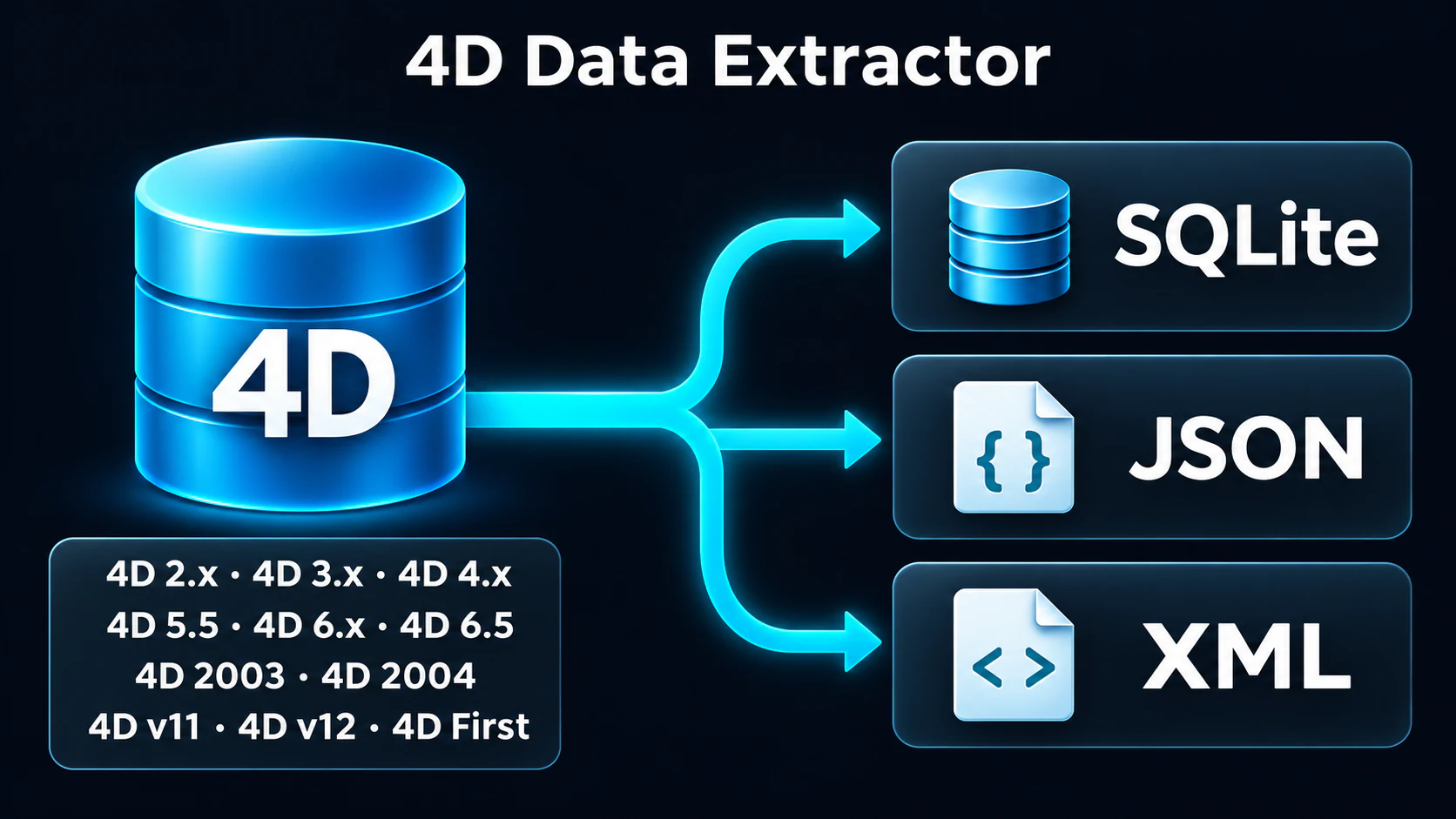
Bring tables together in a SQLite database or export them to JSON and XML.
Adjustable exports
For JSON and XML, create one combined set or one file per table, with a record limit for each file.
Diagnostics when needed
Enable metadata diagnostics when you want a deeper view of the database analysis.
No legacy 4D installation
Recover data without installing an old 4D release and without running database methods.
Structured outputs
SQLite, JSON or XML: choose what comes next.
Move to a database you can query immediately or to files that are easy to integrate into tools, workflows and archives.
Recognised generations
From early 4D databases to the classic releases.
4D Data Extractor clearly presents the detected generation before extraction.
Mac OS Classic databases: preserve resource forks
For a database originating from Mac OS Classic, we recommend placing the structure and data file together in a SIT or SITX archive created on an older Mac or in an emulator running Mac OS Classic. This preserves resource forks when transferring the files to Mac or Windows.
Recovery may sometimes remain possible even if resource forks are missing or damaged, provided the required structure and data are still readable.
4D Data Extractor opens SIT archives and SITX variants supported by its built-in readers directly, without first extracting them in another application.
Local processing
Your databases stay on your computer.
Analysis, diagnostics and exports are performed locally from the files you select.
macOS · Windows 10 / 11 · REA Studio
Make your 4D data accessible again.
A dedicated application for Mac and Windows for recovering, reading and exporting legacy 4D databases.