macOS 14+ · Apple Silicon
VideoToolKit
Everything your videos need. Without the complexity.
Convert video and audio, remux files and work with MKV tracks in one simple, native Mac application.

One window, one clear workflow
Add. Choose. Convert.
VideoToolKit keeps everyday tasks within easy reach and reveals codec, bitrate, frame rate, dimensions, audio and subtitle settings when you need them.
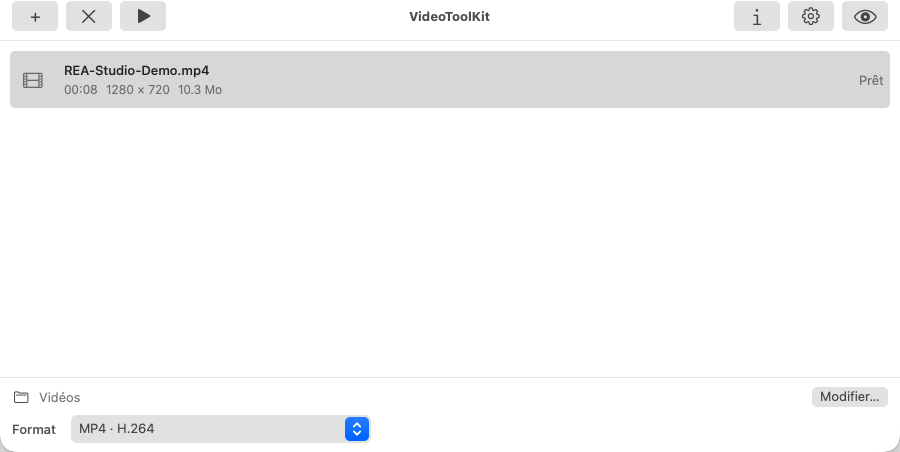
Professional tools, approachable interface
More than a converter.
Accelerated conversion
Create H.264 and HEVC video with Apple VideoToolbox acceleration, alongside ProRes and common audio formats.
Precise control
Tune codecs, bitrate, frame rate, two-pass encoding, cropping, dimensions and target output size.
MKV tools
Inspect Matroska tracks, extract their contents, add subtitles and remux without encoding again.
Useful operations
Join files, preserve original dates and manage video, audio and subtitles from the same workspace.
Video, audio and Matroska
The formats you need.
These 17 presets were actually exported, analysed and reimported in VideoToolKit 0.1.4 (9) with synthetic media.
Local processing
Your files stay on your Mac.
Processing runs on your computer, without uploading your content to an online service.
- No account or mandatory cloud
- AVFoundation, FFmpeg and MKVToolNix included
- Native ARM64 app with no Rosetta requirement
macOS 14+ · Apple Silicon
A compact conversion studio for Mac.
VideoToolKit brings everyday video tasks and advanced options together in one coherent native application.